- Revolutionizing Your Routine with Voice Controlled Workout Commands
- Designing an Immersive Home Fitness Environment Through Smart Lighting and Sound
- Comparing Leading Smart Home Ecosystems for Fitness: Apple HomeKit vs. Alexa vs. Google Home
- How to Sync Fitness Data Across Your Wearables and Smart Equipment
- Setting Up Fitness Automation Triggers to Start Your Workout Instantly
- Your Essential Checklist for a Fully Automated Smart Home Gym Setup
- Selecting Apple HomeKit Gym Equipment for a Unified iOS Experience
- Five Critical Mistakes to Avoid When Syncing Fitness Data Across Devices
- Frequently Asked Questions
Revolutionizing Your Routine with Voice Controlled Workout Commands
The integration of a voice controlled workout system is the ultimate game-changer for high-intensity interval training (HIIT) and heavy lifting. By utilizing smart speakers like the Amazon Echo or Google Nest, you can manage your entire session without ever breaking your form or wiping sweat off a touchscreen.
In my professional assessment, the primary benefit is the total reduction of friction during transitions. You can command your AI assistant to “start a four-minute Tabata timer” or “skip to the next high-energy track” while your hands are firmly gripped on a barbell or kettlebell.
Beyond simple timers, advanced integrations allow you to adjust equipment resistance via voice. Imagine telling your smart bike to “increase resistance by 10%” mid-climb; this hands-free capability ensures that your heart rate remains in the target zone without the distraction of manual adjustments.
Designing an Immersive Home Fitness Environment Through Smart Lighting and Sound
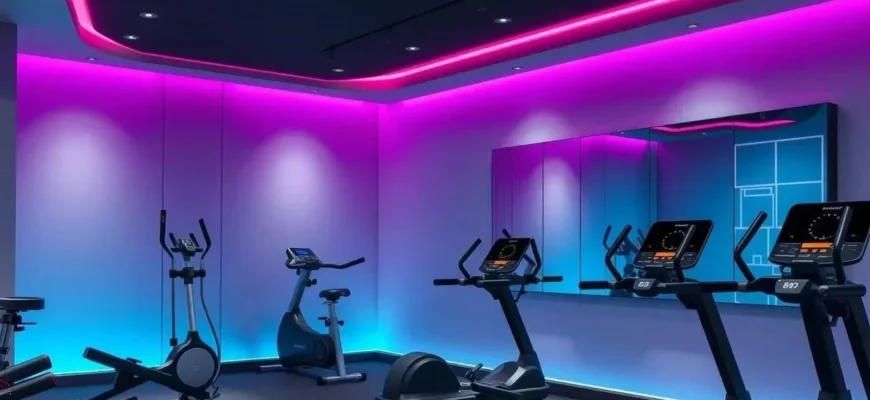
Creating an immersive home fitness experience goes beyond just having the right equipment; it involves manipulating the psychology of your environment. Smart lighting plays a pivotal role in this, as different color temperatures can either stimulate your central nervous system or facilitate recovery.
I recommend setting up specific “Workout Scenes” that trigger with a single tap or voice command. For instance, a “Cardio Blast” scene might activate energetic red and orange RGB tones synced to the tempo of your music, while a “Yoga Flow” scene transitions to calm, biophilic blues and greens with dimmed brightness.
Sound integration is equally vital, where multi-room audio ensures your coaching cues and playlists follow you from the stretching mat to the squat rack. By syncing your lighting to the beat of your music, you create a sensory-rich atmosphere that mimics a high-end boutique studio, significantly boosting motivation levels.
Comparing Leading Smart Home Ecosystems for Fitness: Apple HomeKit vs. Alexa vs. Google Home
Choosing the right ecosystem is the most critical decision when building your automated gym. Each platform offers distinct advantages regarding IoT fitness devices and how they interact with your existing hardware.
| Feature | Apple HomeKit | Amazon Alexa | Google Home |
|---|---|---|---|
| Best For | Privacy & iOS Users | Equipment Compatibility | Data Insights & AI |
| Device Support | Selective / Premium | Massive / Universal | Wide / Google-native |
| Automation Ease | High (Shortcuts) | Medium (Routines) | Medium (Scripting) |
| Privacy Level | Highest (End-to-end) | Standard | Standard |
For those who prioritize Apple HomeKit gym equipment, the benefit lies in the seamless “GymKit” integration which allows for instant pairing between an Apple Watch and cardio machines. Amazon Alexa, conversely, excels in its sheer volume of compatible smart sensors and third-party fitness skills, making it the most versatile choice for a budget-conscious DIY setup.
How to Sync Fitness Data Across Your Wearables and Smart Equipment
To achieve a truly data-driven fitness journey, you must sync fitness data across all platforms to avoid fragmented metrics. Modern wearable technology acts as the bridge, collecting biometric data such as heart rate variability (HRV) and VO2 max, and feeding it into a centralized hub.
I suggest using a “Single Source of Truth” like Apple Health or Google Fit to aggregate data from your smart scales, smart bikes, and recovery trackers. This centralized approach allows you to view your metabolic health trends over months rather than just looking at isolated daily snapshots.
The real magic happens when your equipment talks back to your wearable. When your treadmill shares speed and incline data directly with your watch, the accuracy of your calorie burn and strain scores increases exponentially, providing a clearer picture of your actual physical output.
Setting Up Fitness Automation Triggers to Start Your Workout Instantly
The hardest part of any workout is starting, which is why fitness automation triggers are essential for long-term consistency. By using platforms like IFTTT (If This, Then That), you can remove the “mental load” of preparing your gym environment.
For example, you can create a recipe where “If my heart rate monitoring device detects a workout has started, then turn on the automated climate control to 68 degrees and activate the high-speed floor fan.” This ensures you stay cool without having to stop your momentum to find a remote.
Another powerful automation involves smart lighting triggers. You can program your gym lights to turn bright white at 6:00 AM only if your smart scales haven’t registered a weigh-in yet, acting as a visual nudge to get moving; These micro-automations reduce the friction between “thinking about working out” and “actually working out.”
In my experience as a tech-focused marketer, the most common failure point in a smart gym isn’t the equipment; it’s the home gym networking. I always tell my clients that a Wi-Fi 6 router is the non-negotiable backbone of a high-tech fitness space. Without stable, high-speed bandwidth, your 4K virtual reality fitness sessions will lag, and your biometric data syncing will fail, completely shattering the immersion you’ve worked so hard to build.
Your Essential Checklist for a Fully Automated Smart Home Gym Setup
Transitioning from a traditional gym to an automated powerhouse requires a structured approach. Use the following checklist to ensure you haven’t missed any critical components for your home gym networking and hardware integration.
- Network Stability: Install a Wi-Fi 6 mesh node in the gym area to prevent dead zones during streaming.
- Primary Hub: Select a dedicated smart speaker or tablet to act as the central command center for voice commands.
- Smart Sensors: Place motion sensors to automatically trigger lighting when you enter the room.
- Climate Integration: Connect a smart thermostat or plug-in AC unit to your fitness ecosystem.
- Data Aggregator: Ensure your wearable technology is authorized to write data to your primary health app.
- Power Management: Use smart plugs for “dumb” equipment like fans or old TVs to bring them into your automation routines.
Selecting Apple HomeKit Gym Equipment for a Unified iOS Experience
For the dedicated iPhone and Apple Watch user, focusing on Apple HomeKit gym equipment offers the lowest latency and most intuitive user experience. The ecosystem is designed around the concept of “GymKit,” a protocol that allows two-way data sync with a simple tap of your watch on the machine.
When you use HomeKit-enabled wearable technology, your heart rate is displayed in real-time on your smart mirrors or connected screens. This creates a unified loop where your effort is immediately visualized, allowing for better pacing and intensity management.
Furthermore, Apple’s focus on local processing means your biometric data is handled with a higher degree of privacy than cloud-dependent systems. This makes it the premier choice for fitness enthusiasts who are sensitive about their personal health information being stored on external servers.
Five Critical Mistakes to Avoid When Syncing Fitness Data Across Devices
Even the most tech-savvy users can run into issues when they sync fitness data across multiple platforms. Avoiding these common pitfalls will keep your metrics accurate and your motivation high.
- Duplicate Entry Errors: Avoid connecting multiple apps to each other in a “loop” (e.g., Strava to MyFitnessPal AND Apple Health to MyFitnessPal), which often results in double-counting calories.
- Ignoring Firmware Updates: Outdated firmware on smart scales or bikes can lead to connection drops and data corruption.
- Inconsistent Wearable Placement: For accurate heart rate monitoring, ensure your wearable is snug; loose sensors provide “noisy” data that skews your progress reports.
- Neglecting Data Security: Always enable two-factor authentication (2FA) on your fitness accounts to protect your sensitive health profiles.
- Manual Override Fatigue: Don’t over-automate; ensure you have physical switches or easy manual overrides for when the Wi-Fi inevitably blips.
Frequently Asked Questions
While native integration is ideal, you can make “dumb” equipment somewhat responsive by using smart plugs and external sensors. For example, a smart plug can allow you to turn a traditional treadmill or fan on and off using your smart speakers.
What is the best way to sync fitness data between Peloton and Apple Health?
The most effective method is to open the Peloton app, navigate to ‘More,’ select ‘Health App,’ and ensure all categories are toggled to ‘Turn All Categories On.’ This ensures a seamless 3-step flow of your workout metrics into your central health dashboard.
Does Apple HomeKit gym equipment require a dedicated hub?
Yes, to unlock the full potential of automation triggers and remote access, you will need an Apple TV, HomePod, or an iPad set up as a home hub to bridge the connection between your devices.
How do fitness automation triggers improve workout consistency?
Automation triggers utilize the psychological concept of “implementation intentions.” By removing the manual effort required to set the temperature, lighting, and music, you eliminate the “friction” that often leads to procrastination.
Is my biometric data safe when using IoT fitness devices?
Data safety depends on the brand. I recommend choosing reputable manufacturers that offer end-to-end encryption and local data processing to ensure your biometric data remains private and secure.